

Skip to content
iEmployeeiEmployee
Request a Demo
Home/Platform/Leave & Overtime

Leave & Overtime

Every Request.A Complete Record.

Simplify leave and overtime through transparent digital workflows. Every decision is recorded, with the balance updated the moment it is approved.
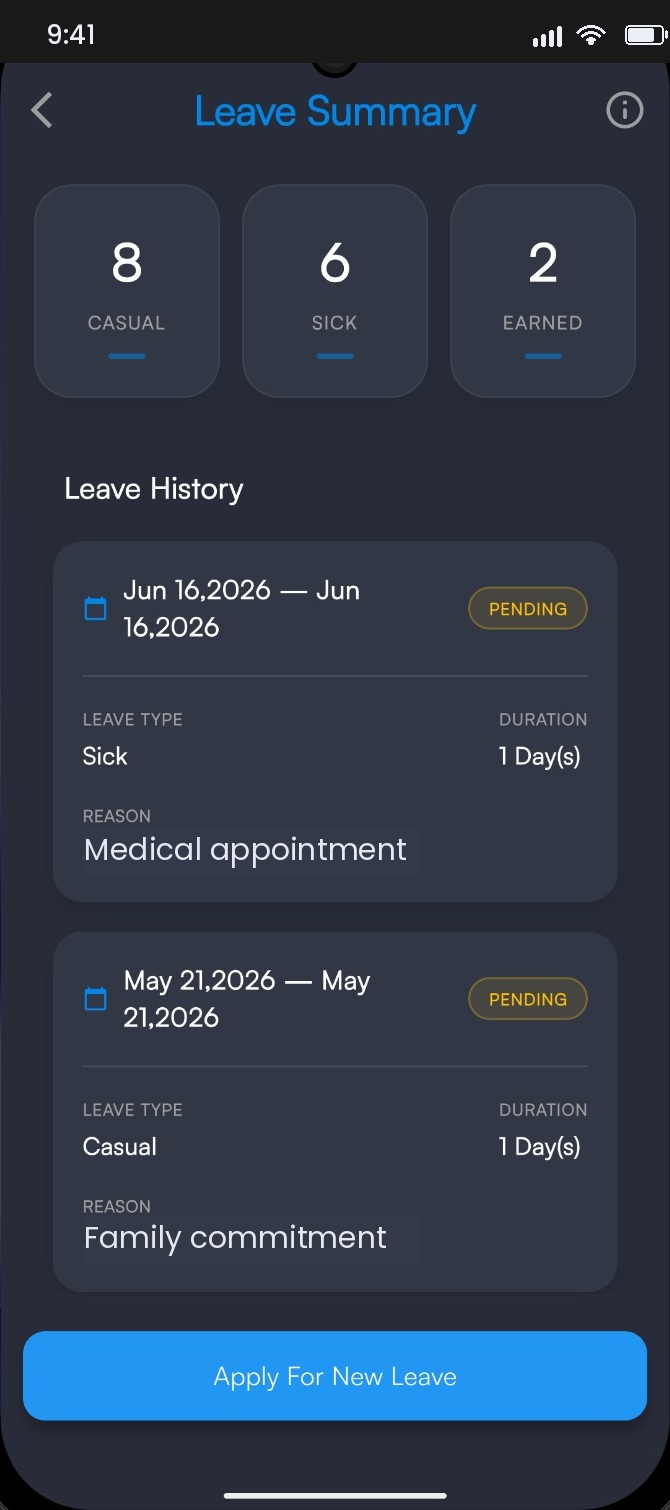
Leave balances and history

Overview

Most disputes startwith a missing form.

Leave and overtime are simple until someone needs to prove what was agreed. Paper forms go missing, verbal approvals are remembered differently by two people, and balances get recalculated from scratch every time the question is asked.

In iEmployee every request carries its own history: who submitted it, with what reason, who approved it, and when the balance moved. The employee, the manager and HR all read the same record, which is usually where the argument ends.

The operational problem

Paper forms and message threads mean nobody agrees on the balance, approvals stall silently, and there is no trail when a dispute surfaces.

How iEmployee addresses it

Requests are raised in the app, routed by policy, decided with context, and stored with their full history — visible to employee, manager and HR.

Capabilities

What you getout of the box.

Leave request & approval

Casual, sick and earned, by policy.

Overtime submission

Recorded against actual worked hours.

Multi-level routing

Manager, then HR, where policy requires it.

Balance tracking

Updated automatically on approval.

Status notifications

The employee is never left guessing.

Payroll-ready export

Approved leave and overtime, exportable.

User workflow

How it runson an ordinary day.

STEP 01

Leave request

The employee submits through the app with a reason.

STEP 02

Manager review

The immediate manager receives it with team context.

STEP 03

HR approval

Where policy requires a second level of review.

STEP 04

Approved record

The decision, history and balance update are stored.

Benefits by role

Three people.One system.

Employees

Balances and decisions are visible without asking anyone.

Managers

Requests arrive with context and an audit trail attached.

Leadership

Payroll receives approved data instead of a reconciliation exercise.

Frequently asked

Questions we getbefore every rollout.

Can leave types be customised?

Yes. Leave types, entitlements and accrual rules are configured per organization.

Is overtime calculated automatically?

Overtime is recorded against actual attendance; calculation rules are configured to your policy.

Can we export approved leave to payroll?

Yes, approved leave and overtime can be exported for payroll processing.

Ready whenyou are.

See iEmployee configured for your branches, shifts and approval structure.